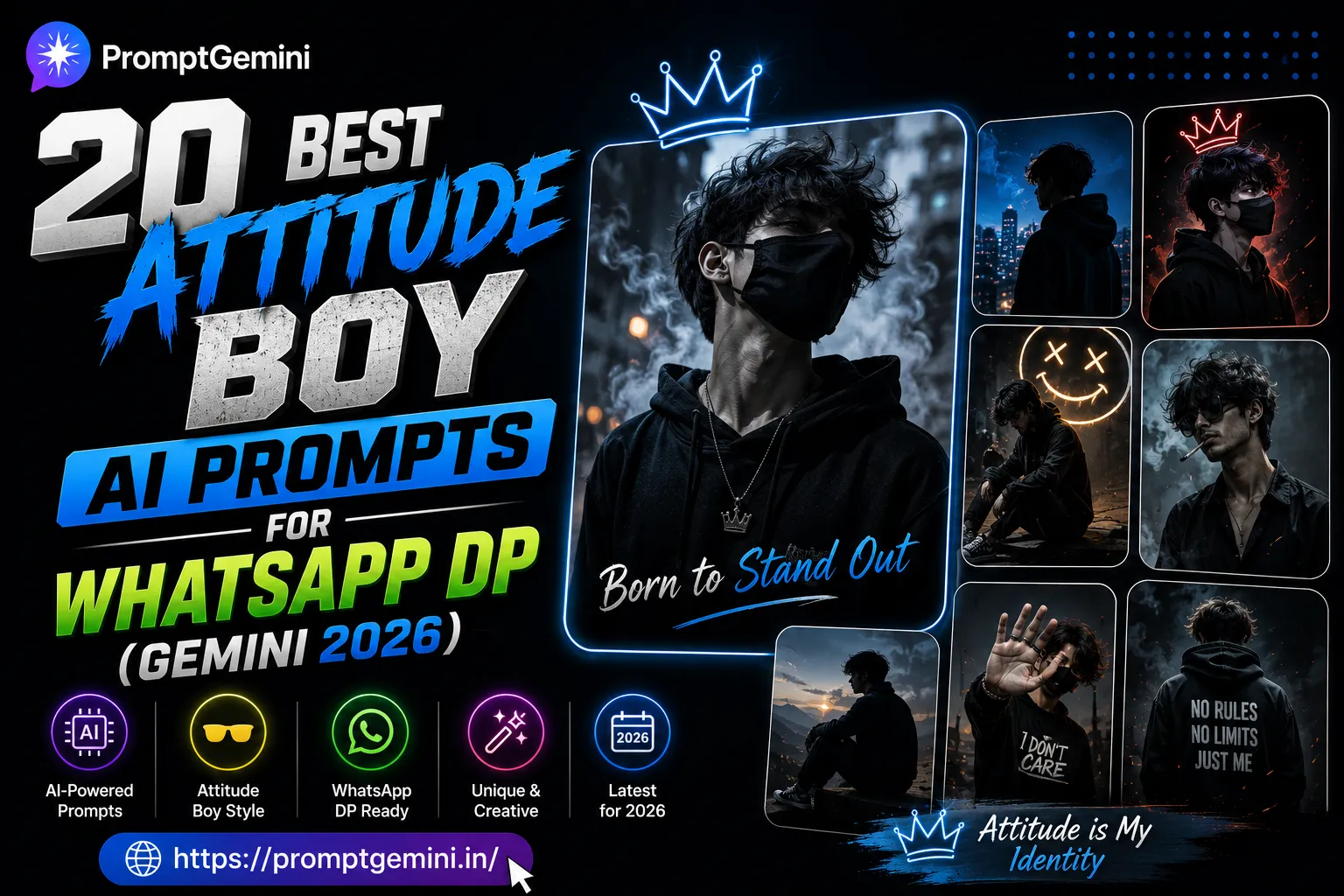
20 Best Attitude Boy AI Prompts for WhatsApp DP (Gemini 2026)
Tired of using the same old photos as your WhatsApp DP? These 20 tested Google Gemini prompts generate hyper-realistic, cinematic attitude photos for boys — completely free, copy and paste ready.
Your WhatsApp profile picture is the first thing people notice. It tells them who you are before you even say a word. A great DP makes you look confident, stylish, and memorable. A blurry selfie does the opposite.
The problem is that most boys either use the same overused photos that look like everyone else, or they spend money on professional photoshoots just to get one good picture. Neither option is ideal.
That is where Google Gemini AI comes in. With the right prompt, Gemini can generate a stunning, hyper-realistic portrait that looks like it was taken by a professional DSLR camera — in seconds, for free. The only thing that makes the difference between a mediocre result and a jaw-dropping one is the quality of the prompt you use.
We have tested over 50 different prompt variations on Google Gemini and selected the 20 that consistently produce the best results for attitude-style boy photos. Every prompt in this list has been verified to work. You do not need any AI knowledge, any design skill, or any subscription. Just copy, paste into Gemini, and your new DP is ready.
What is Google Gemini and How Does It Generate Images?
Google Gemini is an AI assistant developed by Google LLC. Unlike basic AI tools that just chat with you, Gemini can also generate images based on text descriptions you give it. You describe what you want to see — the person, the setting, the lighting, the camera style — and Gemini creates a realistic image that matches your description.
The quality of the image depends almost entirely on how detailed and specific your description is. This is what we call a “prompt.” A short, vague prompt like “a cool boy photo” gives you a generic, flat result. A detailed prompt that specifies the lighting, camera lens, background, expression, and clothing gives you a cinematic, professional-quality image.
All the prompts in this post are written with that level of detail. They are structured to tell Gemini exactly what kind of image to produce — which is why they consistently generate great results.
How to Use These Prompts — 3 Simple Steps
1 |
Copy the promptClick the “Copy Prompt” button on any prompt card below. The full prompt text is copied to your clipboard instantly — no typing required. |
2 |
Open Google GeminiGo to gemini.google.com in your browser or open the Gemini app on your phone. Make sure you are signed in with your Google account. No paid subscription is needed for image generation. |
3 |
Paste and downloadPaste the copied prompt into the Gemini chat box and press Enter. Within a few seconds, Gemini will generate your image. Tap and hold the image (mobile) or right-click (desktop) to save it. Set it as your WhatsApp DP and you are done. |
Pro tip: If the first result is not exactly what you wanted, send the same prompt again. Gemini generates a new image each time, and you will often get a better result on the second or third try. You can also add “regenerate” or “try again” in the chat.
Why Prompt Quality Makes or Breaks Your AI Photo
Most people who try AI image generation for the first time are disappointed. They type something like “Indian boy attitude photo” and get a flat, unrealistic result that looks nothing like a real photograph. They conclude that AI image tools are not good enough and give up.
The truth is that the tool is not the problem — the prompt is. Google Gemini is a highly capable image generator, but it needs specific instructions to produce its best work. The same way a professional photographer needs a clear brief before a shoot, Gemini needs a detailed description before it can produce a great image.
| Prompt type | PromptGemini (detailed) | Generic prompt |
| Lighting | ✓ Golden hour, cinematic, rim light | ✗ Not specified |
| Camera style | ✓ 50mm lens, f/1.8, shallow DOF | ✗ Not specified |
| Background | ✓ Urban bokeh, stadium, street | ✗ Random or plain |
| Expression | ✓ Confident smirk, sharp jawline | ✗ Generic |
| Result quality | ✓ Looks like a professional shoot | ✗ Flat and forgettable |
Every prompt on PromptGemini is written with this level of detail. That is what makes the results consistently impressive.
20 Best Attitude Boy AI Prompts for WhatsApp DP
All prompts below are tested and verified on Google Gemini. Copy any prompt and paste it directly — no editing needed. If you want to change the age or clothing style, you can do so easily.
Customization tip: You can personalise any prompt above by changing the age (“18-year-old” → “22-year-old”), clothing colour (“black hoodie” → “red hoodie”), or background (“urban street” → “beach at sunset”). The rest of the prompt stays the same and Gemini will adjust accordingly.
More Attitude Boy DP Prompts (11–20)
Expert Tips to Get Better Results from Gemini
Even with a great prompt, there are a few things you can do to make your results even better. Here are the tips our team has learned from testing hundreds of prompts on Google Gemini.
Always end with “no text, no watermark”
Gemini sometimes adds text overlays or watermarks on generated images. Adding “no text, no watermark” at the end of every prompt prevents this and gives you a clean image ready to use as a DP.
Regenerate if the first result is not perfect
AI image generation has a random element. If the first image is not quite what you expected, simply send the prompt again. You will get a different result. Most of the time, one of the first three generations will be excellent.
Use specific age references
Writing “20-year-old Indian boy” gives Gemini a much clearer target than just “Indian boy.” The age helps the AI calibrate the facial structure, body type, and overall vibe of the image.
Mention the lens and lighting
Details like “85mm f/1.4” and “golden hour rim lighting” are what separate average AI photos from stunning ones. These photography terms tell Gemini exactly how the virtual camera should be set up, resulting in more realistic and cinematic output.
Important: Google Gemini may not always generate images of real-looking people due to its content policies. If a prompt gets blocked, try rephrasing slightly — for example, change “shirtless” to “wearing a sleeveless vest” or remove specific physical descriptions. Gemini’s policies are updated regularly.
Frequently Asked Questions
Yes, Google Gemini offers image generation for free on the basic plan at gemini.google.com. You need a Google account to use it. There is a paid plan (Google One AI Premium) that gives faster generation and more features, but the free version works well for DP generation.
Yes, AI-generated images from Google Gemini can be used for personal social media use including WhatsApp, Instagram, and Facebook. Always review Google Gemini’s terms of service for the latest guidance on usage rights for generated content.
AI image generation is not deterministic — the same prompt produces a slightly different image each time. The examples shown on our site are the best results from our testing. Your result may vary. Try the prompt 2–3 times to get the best output.
Absolutely. You can change the age, clothing colour, background, and style in any prompt. For example, you can change “black hoodie” to “green jacket” or “urban street” to “coffee shop.” Keep all other parts of the prompt the same for best results.
These prompts are written and optimised specifically for Google Gemini. They may produce decent results on other tools like ChatGPT’s DALL-E or Adobe Firefly, but results will vary. For best results, always use them on Gemini as intended.
We add new prompts every day based on trending styles on Indian Instagram and WhatsApp. Bookmark PromptGemini.in and visit regularly to find the latest prompts before anyone else.
Conclusion — Your Perfect WhatsApp DP Is One Paste Away
You now have 20 tested, verified, and detailed Google Gemini prompts for attitude boy WhatsApp DPs — covering every style from dark moody biker to golden hour cricket player to elegant Islamic portrait. Each prompt is written to produce the best possible result on Gemini with no extra effort from your side.
The process is simple: copy any prompt from this page, open Google Gemini, paste it, and download your image. There is nothing to install, nothing to pay, and nothing to learn. If you are not happy with the first result, try again — the AI generates a new image each time.
Bookmark this page and share it with your friends so they can get their own unique AI-generated DPs too. We update this collection regularly with new styles, so check back often for fresh prompts.
Want More Free AI Prompts?
Browse hundreds of verified Gemini prompts for girls, festivals, 3D name art, Instagram reels, and more — all free, all tested.
Browse All Prompts →